
The IPN Air France (Intranet Professionnel Navigant) centralizes the working tools for flight personnel on a single interface. Behind this unique facade lies an authentication architecture that has significantly evolved in recent years, with varying security layers depending on the user’s profile. Understanding this mechanism allows for anticipating connection blockages and taking full advantage of the available features.
IPN Authentication Architecture: SSO, PingID, and VPN Compared
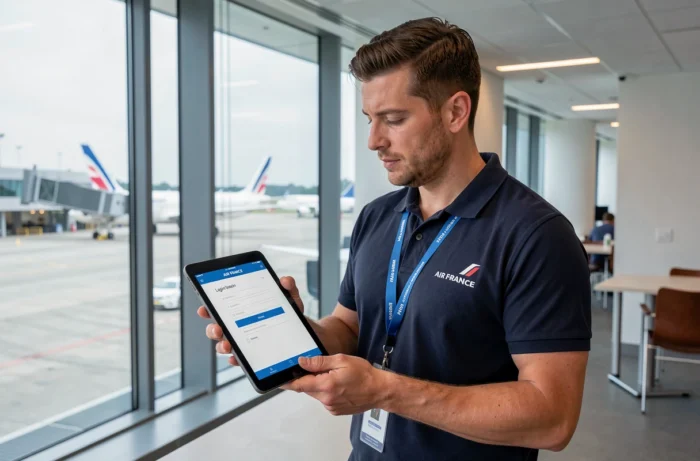
Access to the IPN is no longer limited to a username and password. Since 2024, Air France has deployed a multi-layer authentication architecture whose combination varies according to the category of personnel.
| Security Layer | Role | Relevant Profiles |
|---|---|---|
| Centralized SSO | Single sign-on for all internal portals (Intralignes, GPNet, IPN) | All Air France employees |
| PingID | Strong authentication via notification or code on smartphone | All remote access profiles |
| VPN iPN | Encrypted tunnel for sensitive business applications | Mainly PNC and PNT |
SSO manages identity: a single set of credentials opens the door to Intralignes, GPNet, and other internal services. PingID adds a physical validation, usually a push notification on the personal or professional phone.
For flight personnel, a third layer is added: the VPN iPN, required for sensitive business applications. This encrypted tunnel is activated even before reaching the IPN login page, which explains why some PNC or PNT encounter access errors that ground staff do not reproduce.
Competing guides often describe the login page without mentioning that the login process differs depending on whether one is PNC, PNT, or ground staff. This distinction explains the majority of support tickets related to the IPN. There are also information on IPN Air France that detail this multi-layer identification process.
Convergence of Windows, Habile, and GPNet Passwords
A less visible technical evolution but with direct consequences on daily use concerns the convergence of identifiers between internal portals. The Windows/Active Directory password, linked to the Habile system, is now shared between Intralignes, GPNet, and the IPN.
In practice, a single password change is reflected simultaneously across all these services. The time-saving is real: no need to memorize multiple combinations. However, an expired or unsynchronized password blocks access to all tools, not just the IPN.
Concrete Consequences of This Unification
- A password changed on the Windows workstation takes a few minutes to propagate to GPNet and the IPN. Logging in too quickly after a change causes a temporary rejection.
- The renewal policy follows Air France’s Active Directory rules: if the password expires, all portals become inaccessible simultaneously.
- In case of blockage, the reset procedure goes through the Habile portal and not through the IPN itself, which confuses users looking for a “forgot password” link on the IPN login page.
This convergence simplifies daily management, but it imposes particular rigor on password renewal. A single locked identifier paralyzes access to all internal services.
IPN Air France Features by User Profile
The IPN does not present the same interface to all its users. Commercial flight personnel (PNC) and technical flight personnel (PNT) access distinct modules, tailored to their respective missions.
Modules Accessible to PNC
PNC find their flight schedules, updated cabin safety information, and online training materials on the IPN. Access to personal data (pay slips, leave balance, career history) also goes through this interface.
Modules Accessible to PNT
Pilots additionally have access to technical documentation of the fleet, regulatory updates, and qualification tracking tools. The processing of personal data complies with GDPR requirements, with strict segregation between HR information and operational data.

Resolving IPN Connection Errors Remotely
Remote connection generates most of the difficulties reported by users. Several causes consistently recur.
- The VPN iPN is not activated before the connection attempt. Without this tunnel, sensitive business applications remain inaccessible even if SSO is functioning.
- PingID does not send the notification: check that the app is up to date and that the phone has an active network connection.
- The password has expired on the Active Directory side without the user being notified, which blocks all portals simultaneously.
- The browser stores an old SSO session cookie that conflicts with the new authentication. Clearing the cache resolves the issue in most cases.
Activating the VPN iPN before any connection attempt remains the first check to perform. This single reflex eliminates a significant portion of remote access errors.
The Air France technical support handles requests related to the IPN through an internal ticketing system. Response times vary depending on the category of the problem: a password reset via Habile takes a few minutes, while a PingID synchronization issue may require IT intervention.
The IPN platform concentrates services on a single entry point that, just a few years ago, required multiple distinct portals. The downside of this centralization is that an authentication failure has broader repercussions than before. Keeping the Habile password up to date and checking the status of the VPN iPN before each remote session remain the two most effective actions to avoid blockages.